


Best Keyboard for Accountants: Our Top Picks at a Glance
Accountants type numbers all day: invoices, ledgers, reconciliations, spreadsheets and tax reports. The right keyboard makes that work faster, more accurate and far more comfortable. After comparing ergonomic, mechanical, compact and budget options, we picked the 13 best keyboards for accountants in 2026, with a full-size number pad, a comfortable typing feel and long-term durability in mind.
Quick picks: the Microsoft Sculpt Ergonomic is the best value ergonomic keyboard, the Logitech Ergo K860 is the best premium ergonomic option, the Logitech G613 is the best wireless mechanical keyboard, the Apple Magic Keyboard is the best choice for Mac users, and the Dell KB216 is the best budget keyboard for accountants.
Disclosure: as an Amazon Associate we earn from qualifying purchases. This costs you nothing extra and helps us keep testing and writing guides like this one.
13 Best Keyboards for Accountants – Buying Guide & Review
Accountants handle a huge amount of numerical data, and almost all of it is entered, checked and reported on a computer. Whether you live in Microsoft Excel, QuickBooks, Word or PowerPoint, your keyboard directly affects your typing speed, accuracy and comfort at the end of a long day.
A good accounting keyboard should have a full-size number pad for fast 10-key entry, responsive keys that suit long typing sessions, and a layout that keeps your wrists in a natural position. Many accountants also benefit from an ergonomic design, which can help reduce strain and fatigue during busy season.
To help you choose, we compiled this list of the best keyboards for accountants, covering ergonomic, mechanical, wireless, compact and budget models. Each review explains who the keyboard is best for, so you can find the right fit quickly. Let’s dive in.
Best Keyboard for Accountants 2026: [Full Review]
#1. Microsoft Sculpt Ergonomic – Best Affordable Ergonomic Keyboard for Accountants

Microsoft Sculpt Ergonomic
A great-value ergonomic keyboard with a split, curved design and a separate numeric keypad, ideal for accountants who type for hours.
Best for: accountants who want ergonomic comfort without a premium price.
Our first recommendation is an ergonomic keyboard that combines a comfortable design with a reasonable price. It has a split layout with a gentle arc in the middle, which can take a few days to get used to if you are switching from a traditional keyboard. If you value comfort and a natural wrist position, it is well worth the adjustment. Its standout feature is the dedicated numpad, which you can place wherever feels most convenient. That flexibility is especially useful for accountants who do a lot of 10-key data entry.
The mix of value, ergonomic layout and a separate numpad makes it our top choice for accountants. This keyboard is wireless and connects through a USB dongle rather than Bluetooth. The keys have a larger profile than on many other keyboards and use rubber dome switches. Speed may not be the main goal here, but the larger keys can improve typing accuracy.
You can also buy this keyboard bundled with the Microsoft Sculpt mouse, although the package costs a little more. If you feel wrist or shoulder discomfort during long accounting sessions and want an affordable fix, this is one of the best ergonomic keyboards for accountants available.
#2. Logitech Ergo K860 – Best Premium Ergonomic Wireless Keyboard for Accounting
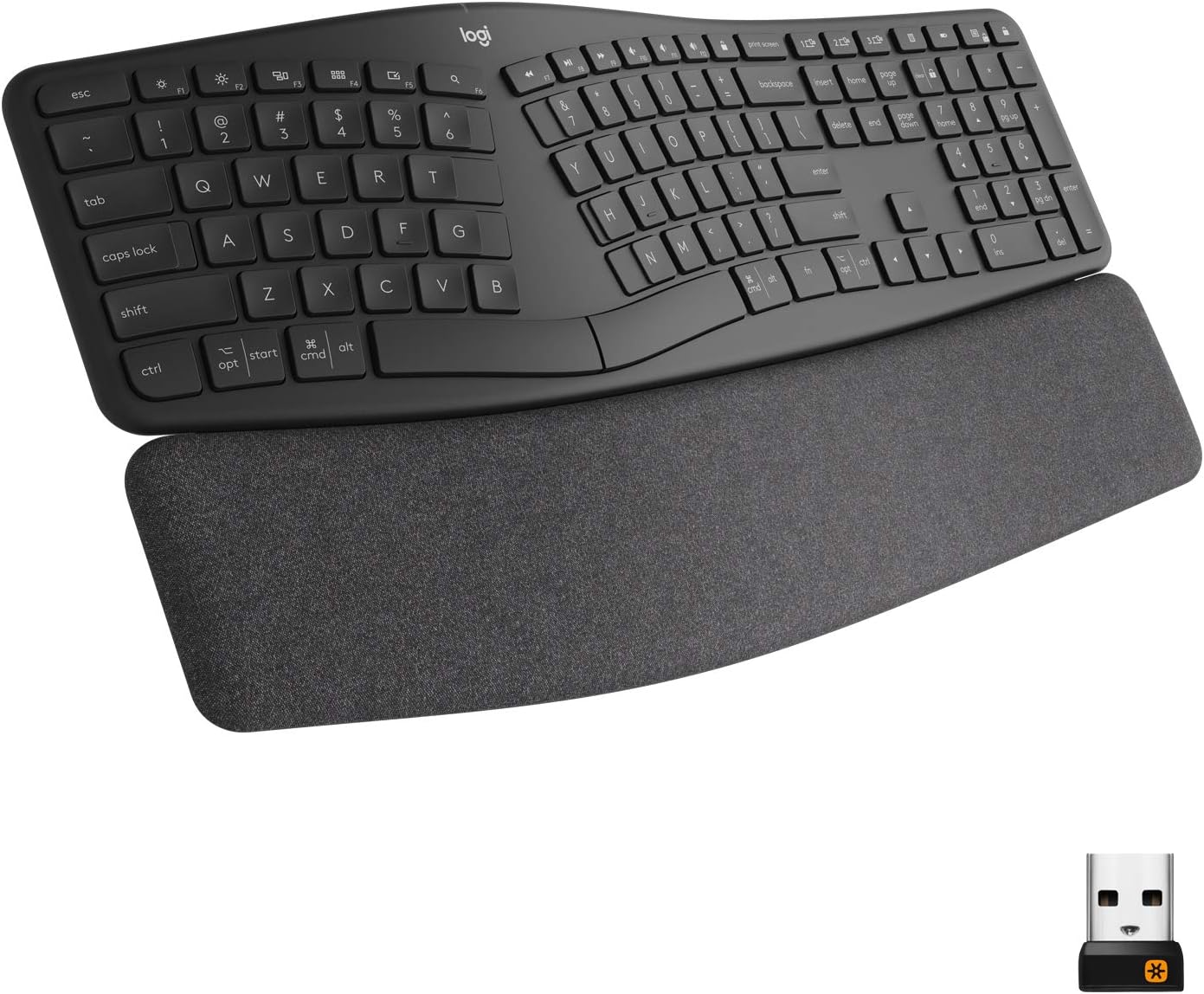
A premium split ergonomic keyboard with a full-size number pad, a cushioned palm rest and wireless Bluetooth connectivity.
Best for: accountants who want the most comfortable ergonomic keyboard and are happy to pay more for it.
Here is another ergonomic keyboard, but this one stands out for its premium build and higher price compared with the Sculpt. It is designed for long hours of desk work, with a curved, split frame and a thick cushioned palm rest that supports your wrists and helps keep them in a neutral position.
The most notable part of this keyboard is its typing feel. The keys are scooped in the center, which helps your fingertips land accurately when you type quickly, and the layout keeps a full-size number pad within easy reach for 10-key entry. Together, these features make it a strong pick for spreadsheet-heavy days.
Another advantage is its flexible connectivity. It works over Bluetooth, so you do not always need a USB receiver, and it can connect to any system that supports Bluetooth. That makes it easy to use with a laptop or a desktop.
The only drawback we found is that despite its premium price, it has no backlit keys. Even so, we consider it one of the best keyboards for accountants thanks to its excellent craftsmanship and remarkably comfortable typing experience.
#3. Logitech G613 LIGHTSPEED – Best Wireless Mechanical Keyboard for Accountants
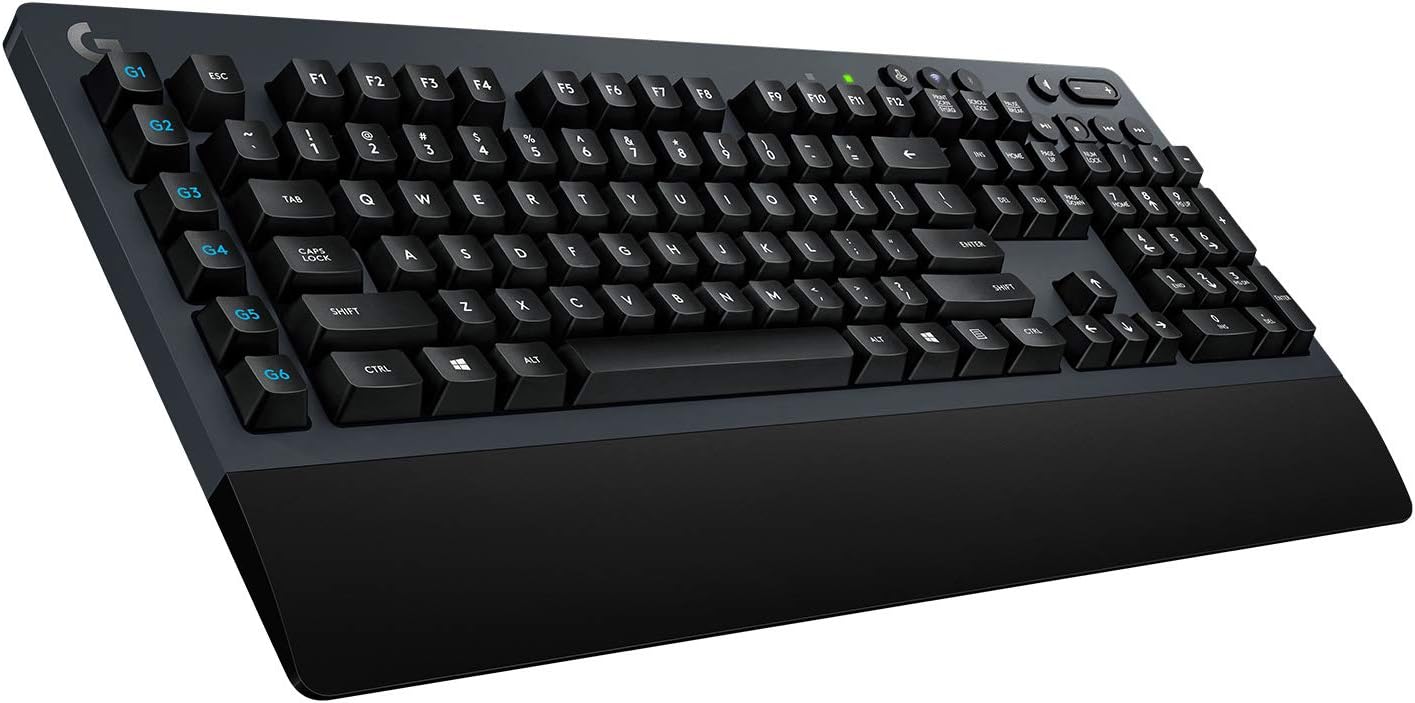
A popular and uncommon wireless mechanical keyboard with a full number pad and programmable keys.
Best for: accountants who prefer the crisp feedback of mechanical keys without being tied to a cable. Availability can vary, so check the current listing.
This is a well-regarded and distinctive keyboard in its category. It is a wireless mechanical keyboard built around typing comfort. Wireless mechanical keyboards are fairly rare because most mechanical models are wired to avoid input lag, which matters a lot to gamers.
Logitech tackles the lag concern with a 1ms response rate, which is where the “Lightspeed” name comes from. Mechanical keyboards are usually described by their switch type: some are clicky, some are tactile and some are linear and nearly silent. The switches here are light with short actuation, and they give a tactile bump with a slight click. That makes it less suitable for quiet shared offices, but a great option if you work in a private office or at home.
Like other premium wireless keyboards, it offers a USB receiver included in the box as well as Bluetooth. It also has six programmable keys you can set up with Logitech’s software. Accountants who rely on macros and repeated shortcuts will find these very useful.
In short, if you want a mechanical keyboard for accounting work, this is one of the best wireless options on the market.
#4. Microsoft Surface Keyboard – Best Low-Profile Wireless Keyboard for the Office

Microsoft Surface Keyboard
A sleek, simple and slim keyboard that suits office users, including accountants.
Best for: accountants who want a laptop-style typing feel on a full-size desktop keyboard.
If you want a simple, slim keyboard that still feels good to type on, the Microsoft Surface Keyboard is one of the most popular choices. It does not look like much at first glance, but its low-profile, chiclet-style keys with shallow travel make it a favorite among office and home users alike. The keycaps have a texture similar to laptop keys.
Laptop-style keys are popular because they are easy to press and encourage fast typing. If you like that authentic, soft-touch feel, this is a strong match. It is a very low-profile keyboard, similar in feel to the Apple Magic Keyboard we cover next. Apple’s keyboard is one of the best keyboards for typing, but it is designed for Apple devices. If you want a PC keyboard with a similar feel, this is the best keyboard for accountants in that style. The trade-off is that, for the price, it has no programmable keys and no backlighting.
#5. Apple Magic Keyboard – Best Wireless Compact Keyboard for Mac Users

Apple Magic Keyboard
The well-known Apple Magic Keyboard needs no introduction.
Best for: accountants who work on a Mac. Choose the version with the numeric keypad if you do a lot of 10-key entry.
The Apple Magic Keyboard stands out for the quality of its keycaps and the consistency of every key press. From the spacing of the keys to the precision of the actuation, the experience is almost flawless. Whether it justifies the price is something you will have to decide for yourself, but for pure typing pleasure few keyboards compare. Others have come close to copying its feel, yet it remains the benchmark for comfort.
It is a low-profile keyboard with short key travel and a firm but gentle response. It is rechargeable, so you never need to swap batteries, and it appeals to anyone who values a clean, simple design.
The main disadvantage, as with most membrane-style keyboards, is that it has no backlight. You can connect it to a Windows PC, but it does not make much sense, because it lacks the native Windows keys. In short, if you use a Mac, there is every reason to consider this as one of the best keyboards for accountants.
#6. Redragon K556 – Best Budget Wired Mechanical Keyboard for Accounting

Redragon K556
An affordable wired mechanical keyboard with brown switches and a full number pad.
Best for: accountants who want mechanical keys on a tight budget.
This keyboard is a good fit if you want to stick with mechanical keys but do not want to spend a lot. It is an inexpensive, full-size mechanical keyboard with brown switches. Brown switches are tactile and fairly quiet, which makes them a sensible choice for an office. The keycaps are comfortable, and the keyboard has RGB lighting to illuminate the keys in low light.
You can pick any color from the RGB range. Although it is designed mainly for gamers, that does not stop it from working well for accounting, thanks to the tactile switch type it uses.
Keep in mind that mechanical keyboards favor precision over raw speed because of their taller key profile. We think this is an excellent option when accuracy matters more than typing speed, and it is one of the best affordable mechanical keyboards for accountants.
#7. Das Keyboard 4 Professional – Best Premium Mechanical Keyboard for Accountants

Best for: accountants who want a durable, premium-feeling mechanical keyboard that lasts for years.
The Das Keyboard is one of the best-known premium mechanical keyboards. It looks the part and offers a smooth typing experience, and its design and features make it a superior choice for an accountant. Das Keyboard 4 has built-in USB 3.0 ports and comes with Cherry MX Blue or Cherry MX Brown switches. Das also adds an oversized volume knob and dedicated media controls in the top right corner, just above the number pad.
It also includes dedicated media and sleep controls, a durable build and an aluminum top panel. Das Keyboard 4 Professional is excellent for typing and also works well for gaming. If you choose the Brown switches you get a quieter tactile feel, while the Blue switches are louder and clickier. It is a great mix of quality and long-lasting construction, and that is exactly why it is one of the best keyboards for accountants.
Key features of the product:
- Cherry MX mechanical key switches with gold contacts, plus a dedicated media control with an oversized volume knob
- Two-port USB 3.0 SuperSpeed hub – up to 5Gb/s, 10x the speed of USB 2.0, an instant sleep button to save power, laser-etched key inscriptions, and bumps on the F and J keys (home keys)
- NKRO over USB for fast, accurate input in gaming, programming or office work, an anodized aluminum top panel and updatable firmware
- System requirements: PC Windows, Linux, ChromeOS or Mac, one USB 1.1, 2.0 or 3.0 port, no driver required
- Height: 1.2 inches (3.1 cm)
#8. Logitech K480 Multi-Device Keyboard – Best for Switching Between Devices

Best for: accountants who switch between a laptop, tablet and phone during the day.
Logitech K480 is a multi-device keyboard that works with laptops, tablets and phones. It is compatible with PC, Mac, Chrome OS, iPad, iPhone, and Android tablets and smartphones. Logitech K480 uses Bluetooth, so there is no cable to worry about, and you can connect your devices in seconds.
This Logitech multi-device keyboard weighs 821 g and measures 31 x 4.1 x 20.1 cm. It needs two AAA batteries, which come included. Its comfortable design and layout make everyday typing faster and more convenient.
Key features of the product:
- Multi-device keyboard that works with laptops, iPhone and iPad devices, Android devices and tablets
- Easy-Switch dial for typing on up to three Bluetooth devices
- Battery life indicator light (lasts up to 2 years with normal office use)
- Bluetooth range of up to 10m
- Smooth key feel and a comfortable typing experience
#9. Anker Ultra Compact Profile Keyboard – Best Compact Keyboard for Small Desks

Best for: small offices, home desks and accountants on the move. Note that a compact layout may not include a full number pad.
Anker ultra-compact slim keyboard connects over Bluetooth and takes up about two thirds of the space of a standard keyboard. Its aluminum-effect surface gives it a solid, durable feel. This white Anker keyboard has a rechargeable 800mAh lithium battery that lasts a long time between charges. Anker keyboard works with Android, Windows and Mac.
When you type, the keys feel smooth and responsive. It is over 30% smaller than a standard keyboard, which saves a lot of space in the office and makes it a good choice for a small workspace or for travel. With Anker Ultra Compact you can get your work done easily, making it one of the best keyboards for accountants who value portability.
Key features of the product:
- Universal compatibility – works with any device that supports Bluetooth (iOS, Android, Mac OS and Windows)
- One third smaller than a standard keyboard
- Extended battery life
- Use for up to one month without recharging
#10. Jelly Comb Foldable Pocket Size – Best Portable Keyboard for Freelance Accountants

Best for: freelance accountants and anyone who works while traveling.
Jelly Comb foldable keyboard is a great fit if you are a freelance accountant or like to work on the go. The Jelly Comb foldable design is extremely thin and lightweight, which makes it ideal for travel and business trips. This keyboard has a touchpad, but the touchpad does not work on iOS systems. Its battery life is not as strong as some other models, although 2 hours of charging gives up to 560 hours of work.
Key features of the product:
- Foldable pocket size – best for travel and business trips
- Highly sensitive touchpad
- Compatibility with iOS/Windows/Android
- Rechargeable lithium battery
- Folding size: 5.98″ x3.82″ x0.71″
#11. Dell KB216 Wired Multimedia USB Keyboard – Best Budget Keyboard for Accountants
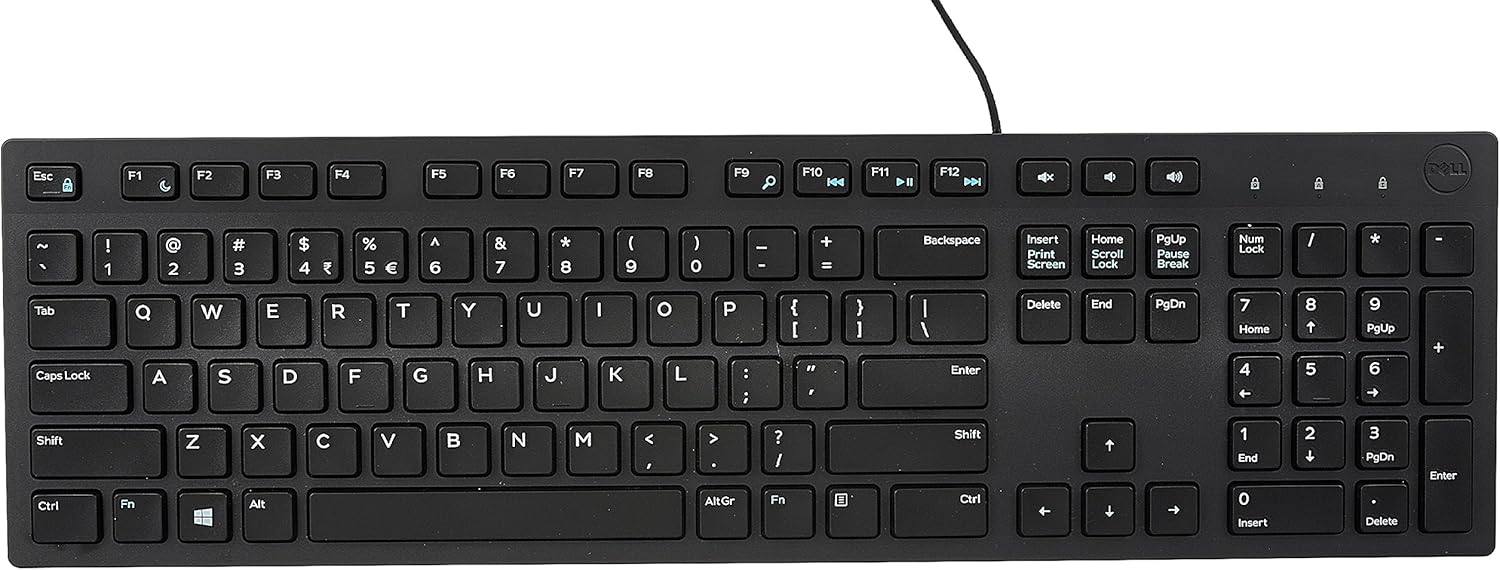
Best for: accountants who want a reliable full-size keyboard at the lowest possible price.
Dell is a leading brand in laptops, desktops and computer accessories. The KB216 from Dell is one of the best budget keyboards for accountants, with a smooth and quiet typing experience and a full-size number pad. It is one of the cheapest keyboards you can get at this quality level. It has volume, mute, play/pause, backward and forward keys that make it easy to use in a work environment. Dell KB216 has a palm rest that is available for separate purchase.
Dell offers a 1-year replacement warranty if the keyboard stops working properly. This keyboard is well suited to everyday home and office work, but it is not ideal for gaming. If your budget is tight, it is a top-notch choice. There is no doubt that Dell KB216 earned its spot in our list of the best keyboards for accountants.
Key features of the product:
- 1-year replacement warranty
- Palm rest available separately
- Interface: USB, device type: keyboard – wired, dimensions (WxDxH) 44.2 cm x 12.7 cm x 2.44 cm, weight: 503 g
- Multimedia keys for quick actions and shortcuts
#12. Lenovo ThinkPad Compact USB with TrackPoint – Best Compact Keyboard with Built-In Pointer

Best for: accountants who love the ThinkPad typing feel and want to keep their hands on the keys. Note that this compact model has no separate number pad.
Lenovo brings the ThinkPad keyboard to your desk. The design is sturdy and looks just as good as earlier Lenovo keyboards. Lenovo keyboard is very comfortable to type on and gives you quick access keys along the top edge that let you change the volume or mute the microphone or speakers.
Key features of the product:
- Responsive TrackPoint (better than the Bluetooth model)
- Built-in lithium-polymer battery (1 month between charges)
- Built-in mouse control
- Island-style key design that mirrors the design, features and technical specifications of the ThinkPad, offering a seamless user experience
- 3-year warranty
- Works with modern Windows PCs
#13. Logitech K230 Wireless Keyboard – Best Quiet Wireless Keyboard on a Budget

Best for: shared offices where quiet typing matters.
This is our second Logitech keyboard pick. The Logitech K230 is one of the most affordable wireless keyboards with a solid feature set. K230 is 36 percent smaller than a standard Logitech keyboard while keeping all the usual keys. Its stylish black body looks attractive and clean.
This K230 keyboard connects to your computer over a fast 2.4 GHz wireless link. The smooth keys make typing easy and effortless. The K230 has an auto-sleep feature that preserves battery life for a long time. The keys are quiet, so you can work without unwanted noise.Key features of the product:
- 2.4 GHz wireless connection
- Quiet keys
- 2 years of battery life based on an average of two million key-hits per year
FAQ: Choosing the Best Keyboard for Accountants
What to Look For in a Keyboard for Accountants?
There are a few key traits to look for when shopping for a keyboard for accounting work. These are as follows:
A Comfortable Number Pad
A built-in number pad is probably the most important feature for an accountant. It is usually found on the far right side of a standard keyboard. It lets you enter numbers and run calculations quickly with one hand, which is the foundation of fast 10-key data entry.
For that reason, TKL (ten-keyless) keyboards and 60% keyboards are not a good fit for accountants, unless you plan to buy a separate number pad. A number pad can be built into the keyboard, or it can be a separate unit that connects to your computer. Some products, like the Microsoft Sculpt, come with a keyboard and a number pad that are separate from each other.
Do Accountants Need a Separate Numpad?
Most accounting work is done on the numpad. If you are a laptop user without a numpad, instead of investing in a full external keyboard you can simply buy an external numpad.

You can find all kinds of external numpads, from wireless to wired models.
Wireless or Wired Keyboard for Accounting?
As an accountant, your desk may be covered with everything from documents to stationery. The last thing you want is a desk full of cable clutter. To keep things organized you can choose a wireless keyboard.
Wireless keyboards connect over Bluetooth or over radio frequency using a USB receiver. They do have a few drawbacks. For starters, they are usually more expensive than wired models. Second, low-quality wireless keyboards can add input lag, which is more noticeable when you enter numbers very quickly. If you want zero lag and never want to think about batteries, a wired keyboard is still a safe choice.
Which Keyboard Type Is Best for Accountants?
There are three common types we will cover: ergonomic, mechanical and chiclet (membrane). Pick the one that fits your comfort zone and your work habits. These are as follows:
Ergonomic
An ergonomic keyboard can go a long way toward promoting comfort. This peripheral usually has a V-shaped or split design. If you type for long periods as an accountant, using one helps keep your fingers, wrists and arms in a natural position, which may reduce strain and fatigue.
Mechanical
The best part about mechanical keyboards is that you get to choose the type of key switch you want. Would you like a tactile, clicky, silent, heavy or light switch? These keyboards are also sturdy and can last for years. Accountants often prefer membrane keyboards because of the lower key profile. However, if you have specific preferences for how your key switches should feel, mechanical keyboards are worth a look.
Chiclet / Membrane
Chiclet or low-profile keys are great for increasing typing speed. When a key is pressed, a chiclet keyboard with scissor switches uses a membrane or rubber dome to complete the circuit. We believe these keyboards are the best for most accountants, based on our own experience.
These keyboards are slim and lightweight, and their low-profile keys allow for a very fast typing experience. The only drawback is that not all chiclet or membrane keyboards are created equal, which can be frustrating. A typical example is a low-quality keyboard with low-profile keys that feel mushy, or a keyboard with very heavy keys that are hard to press. That can defeat the whole purpose of choosing low-profile keys for speed.
Unlike mechanical keyboards, where the switches follow a standardized set of specifications for feedback, actuation point and weight, membrane-based keyboards vary a lot from model to model, so it pays to read reviews before you buy.
Conclusion: Which Is the Best Keyboard for Accountants?
The keyboard you use has a big influence on how fast and accurately you work. A keyboard that is hard to type on will slow you down and may leave you looking for a replacement. Here is a quick summary of our picks: choose the Microsoft Sculpt Ergonomic for the best value ergonomic keyboard, the Logitech Ergo K860 for premium comfort, the Logitech G613 for a wireless mechanical feel, the Apple Magic Keyboard if you use a Mac, and the Dell KB216 if you are on a budget. Before buying any of the keyboards mentioned above, consider the following factors:
- Budget: Determine your budget and consider the price range that aligns with your financial resources.
- Usage: Consider where you will be using the keyboard. If you need a portable option for traveling, look for a compact and lightweight keyboard. If it will primarily be used in an office setting, you may have more flexibility in terms of size and features.
Taking these factors into account, you can make an informed decision about which keyboard is the best choice for your work as an accountant. Which keyboard do you use for accounting work? If you have any questions or suggestions, please share them in the comment section. We always welcome feedback. Happy typing!


