
Best Ergonomic Mouse for Carpal Tunnel Relief 2026: Complete Buyer’s Guide
If you’re experiencing wrist pain, numbness, or tingling sensations while working at your computer, you’re not alone. Carpal tunnel syndrome affects millions of office workers, gamers, and professionals worldwide. The good news? Switching to an ergonomic mouse designed specifically for carpal tunnel relief can dramatically reduce discomfort and prevent further nerve damage.
In this comprehensive guide, we’ll explore the best ergonomic mice for carpal tunnel relief in 2026, helping you find the perfect solution for pain-free computing.
What is Carpal Tunnel Syndrome and How Does Your Mouse Affect It?
Carpal tunnel syndrome occurs when the median nerve, which runs through the carpal tunnel in your wrist, becomes compressed. This compression causes pain, numbness, and weakness in your hand and fingers. Traditional computer mice force your wrist into an unnatural pronated position (palm down), which increases pressure on this delicate nerve.
Common symptoms include:
- Numbness or tingling in thumb, index, and middle fingers
- Weakness when gripping objects
- Pain that radiates up your forearm
- Nighttime hand numbness
- Decreased hand coordination
An ergonomic mouse promotes a neutral wrist position, reducing strain on the median nerve and surrounding tendons. By maintaining proper hand alignment, you can work comfortably for extended periods without aggravating carpal tunnel symptoms.
Top 10 Best Ergonomic Mice for Carpal Tunnel Relief in 2026
1. Logitech MX Vertical Advanced Ergonomic Mouse
Price: $99.99 | Type: Vertical Wireless
The Logitech MX Vertical remains the gold standard for ergonomic mice in 2026. Its 57-degree vertical angle places your hand in a natural handshake position, reducing wrist pressure by up to 10% compared to traditional mice.
Key Features:
- 4000 DPI high-precision sensor
- Rechargeable battery (4 months per charge)
- Cross-computer control functionality
- Textured rubber surface for secure grip
- Customizable buttons via Logi Options+ software
Best For: Office professionals, graphic designers, and anyone seeking premium carpal tunnel relief
Pros: Excellent build quality, precise tracking, comfortable for long sessions Cons: Higher price point, learning curve for new vertical mouse users
2. Anker Wireless Vertical Ergonomic Mouse
Price: $25.99 | Type: Vertical Wireless
For budget-conscious users, the Anker Vertical Mouse delivers impressive ergonomic benefits without breaking the bank. The vertical orientation and contoured thumb rest provide excellent wrist support during extended use.
Key Features:
- 800/1200/1600 DPI switchable settings
- 2.4GHz wireless connection
- Power-saving mode for extended battery life
- Five programmable buttons
- Textured grip surface
Best For: Budget shoppers, home office workers, students with wrist pain
Pros: Affordable price, comfortable design, reliable performance Cons: Lower DPI range, basic build quality, shorter battery life than premium options
3. Logitech ERGO M575 Wireless Trackball Mouse
Price: $49.99 | Type: Trackball
Trackball mice eliminate repetitive wrist movement entirely, making them ideal for severe carpal tunnel cases. The M575 features a precision thumb-controlled trackball that keeps your hand stationary while navigating.
Key Features:
- Precision mode button for detailed work
- Bluetooth and USB receiver connectivity
- 24-month battery life
- Customizable buttons
- Contoured shape for palm support
Best For: Users with severe wrist pain, repetitive strain injury prevention, limited desk space
Pros: No wrist movement required, exceptional battery life, smooth trackball operation Cons: Learning curve, not ideal for fast-paced gaming, requires thumb dexterity
4. Microsoft Sculpt Ergonomic Mouse
Price: $54.99 | Type: Contoured Wireless
Microsoft’s Sculpt Mouse features an innovative design that encourages a relaxed hand position. The mound shape supports your palm while the thumb scoop provides natural thumb placement.
Key Features:
- Windows button for quick Start menu access
- BlueTrack Technology for precise tracking
- Wireless 2.4GHz connection
- Sculpted design for natural hand position
- Four-way scrolling wheel
Best For: Windows users, office environments, medium to large hands
Pros: Comfortable mound design, precise tracking on various surfaces, affordable Cons: Windows-optimized (limited Mac functionality), requires AA batteries
5. Kensington Pro Fit Ergo Vertical Wireless Mouse
Price: $39.99 | Type: Vertical Wireless
Kensington’s Pro Fit Ergo combines vertical orientation with thoughtful ergonomic details like a soft-touch coating and contoured button placement. The 60-degree angle promotes natural forearm alignment.
Key Features:
- 60-degree vertical angle
- 1600 DPI optical sensor
- USB-A wireless receiver
- Soft-touch surface coating
- Two-year limited warranty
Best For: Corporate environments, users transitioning to vertical mice, all-day comfort
Pros: Comfortable vertical design, soft-touch materials, reliable connectivity Cons: Lower DPI than competitors, basic customization options
6. Evoluent VerticalMouse 4
Price: $89.95 | Type: Vertical Wired/Wireless
The Evoluent VerticalMouse pioneered the vertical mouse category and remains a top choice for carpal tunnel sufferers. Its unique shape and adjustable pointer speed make it highly adaptable to individual needs.
Key Features:
- Patented vertical design
- Six programmable buttons
- Performance LED indicator
- Available in small, regular, and large sizes
- Optional wireless model
Best For: Users with diagnosed carpal tunnel syndrome, ergonomic purists, those needing specific sizing
Pros: Multiple size options, proven ergonomic benefits, durable construction Cons: Industrial appearance, higher price, wired model limits mobility
7. J-Tech Digital Vertical Ergonomic Mouse
Price: $29.99 | Type: Vertical Wired
This budget-friendly vertical mouse offers solid ergonomic benefits with a gentle learning curve. The removable palm rest allows customization based on hand size and preference.
Key Features:
- Removable palm rest
- 800/1200/1600 DPI settings
- Six programmable buttons
- Wired USB connection
- LED indicator lights
Best For: First-time vertical mouse users, budget-conscious shoppers, testing ergonomic mice
Pros: Affordable, removable palm rest, decent build quality Cons: Wired only, basic sensor, limited customization software
8. Adesso iMouse E90 Vertical Ergonomic Mouse
Price: $34.99 | Type: Vertical Wireless
The Adesso iMouse E90 combines vertical ergonomics with a sleek design and responsive tracking. Its contoured shape fits naturally in your hand, reducing forearm rotation.
Key Features:
- 1000/1500/2000 DPI adjustable
- Wireless 2.4GHz connectivity
- Five programmable buttons
- Auto sleep mode
- Rubberized texture for grip
Best For: Small to medium hands, office work, reducing repetitive strain
Pros: Comfortable grip, responsive tracking, good value Cons: Smaller size not ideal for large hands, average battery life
9. Perixx PERIMICE-719 Wireless Vertical Mouse
Price: $32.99 | Type: Vertical Wireless
Perixx offers an ergonomic solution with a distinctive design featuring a thumb rest platform and vertical orientation. The wireless connectivity and rechargeable battery eliminate cable clutter.
Key Features:
- Rechargeable lithium battery
- 1000/1600 DPI switching
- 2.4GHz wireless connection
- Ergonomic thumb platform
- LED battery indicator
Best For: Users wanting rechargeable convenience, eco-conscious shoppers, office professionals
Pros: Rechargeable battery, comfortable thumb rest, wireless freedom Cons: Heavier than competitors, limited DPI range
10. Contour Mouse (Right-Handed)
Price: $99.95 | Type: Contoured Wireless
The Contour Mouse takes a unique approach with five size options and a scientifically-designed shape. It maintains a neutral handshake position while keeping your hand relaxed and supported.
Key Features:
- Five size options for perfect fit
- Wireless and wired models available
- 1000/1500/2500 DPI settings
- Downloadable sizing guide
- Premium build quality
Best For: Users needing precise sizing, preventing carpal tunnel progression, long-term investment
Pros: Multiple sizes ensure perfect fit, excellent ergonomics, durable construction Cons: Expensive, must choose correct size, learning period
Ergonomic Mouse Comparison Table
| Mouse Model | Price | Type | DPI | Battery Life | Best For |
|---|---|---|---|---|---|
| Logitech MX Vertical | $99.99 | Vertical Wireless | 4000 | 4 months | Premium users |
| Anker Vertical | $25.99 | Vertical Wireless | 1600 | 3 months | Budget shoppers |
| Logitech M575 | $49.99 | Trackball | N/A | 24 months | Severe carpal tunnel |
| Microsoft Sculpt | $54.99 | Contoured | N/A | 6 months | Windows users |
| Kensington Pro Fit | $39.99 | Vertical Wireless | 1600 | 12 months | Corporate use |
How to Choose the Best Ergonomic Mouse for Your Carpal Tunnel
Consider Your Hand Size
Hand size dramatically affects comfort and effectiveness. Measure from your wrist crease to your middle fingertip:
- Small: Under 6.5 inches (Contour Mouse Small, Evoluent Small)
- Medium: 6.5-7.5 inches (Most standard models)
- Large: Over 7.5 inches (Contour Mouse Large, Evoluent Large)
Grip Style Matters
Palm Grip: Your entire hand rests on the mouse. Best for: Microsoft Sculpt, Contour Mouse Claw Grip: Fingertips and palm base contact the mouse. Best for: Logitech MX Vertical Fingertip Grip: Only fingertips touch the mouse. Best for: Lighter vertical mice
Vertical vs. Trackball vs. Contoured
Vertical Mice rotate your hand 45-90 degrees into a handshake position, reducing forearm pronation. Best for users with mild to moderate carpal tunnel who perform precision work.
Trackball Mice eliminate wrist movement entirely, relying on thumb or finger control of a stationary ball. Ideal for severe carpal tunnel cases and limited desk space.
Contoured Mice maintain a more traditional orientation but with enhanced palm support and wrist alignment features. Good for users hesitant to switch to vertical designs.
Wireless vs. Wired
Wireless advantages: Cable-free workspace, portability, cleaner desk setup Wired advantages: No battery concerns, zero latency, lower price
For carpal tunnel relief, wireless models often provide better positioning flexibility, allowing you to place your mouse at the optimal distance and angle.
DPI and Sensitivity
Higher DPI (dots per inch) means faster cursor movement with less physical motion. For carpal tunnel relief, 1600-2400 DPI allows precise control without excessive wrist movement. Many ergonomic mice offer adjustable DPI settings to match your preference.
Additional Tips for Carpal Tunnel Relief
Optimize Your Workspace Ergonomics
- Desk height: Elbows should form 90-degree angles
- Monitor position: Eye level, arm’s length away
- Chair support: Lower back supported, feet flat on floor
- Keyboard placement: Wrists straight, not bent upward
- Mouse positioning: Close to keyboard, same level
Use a Wrist Rest or Mouse Pad with Gel Support
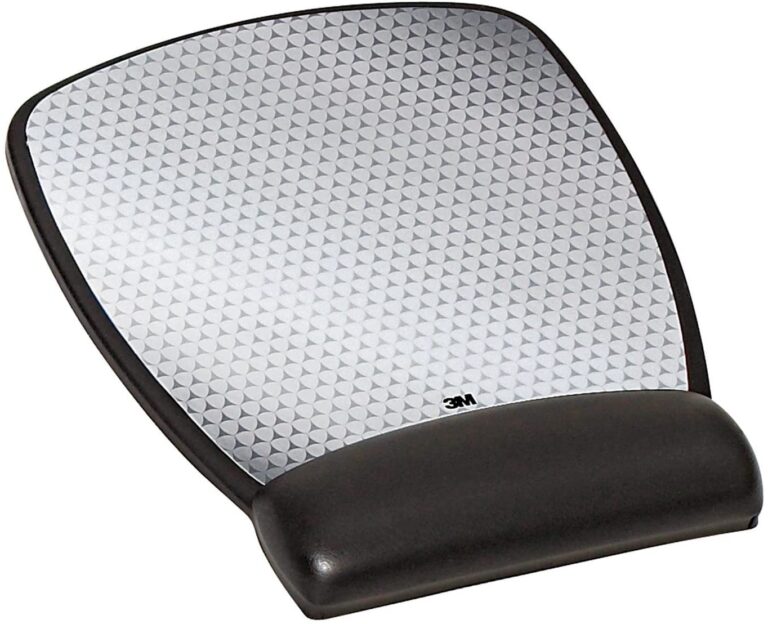
Combine your ergonomic mouse with a memory foam or gel wrist rest to further reduce pressure on the carpal tunnel. Look for mouse pads with built-in wrist support that maintain neutral wrist alignment.
Take Regular Breaks
Follow the 20-20-20 rule: Every 20 minutes, take a 20-second break and look at something 20 feet away. Use this time to stretch your wrists and fingers, promoting blood flow and reducing tension.
Perform Wrist Stretches
Wrist flexor stretch: Extend arm forward, palm up, gently pull fingers back with other hand Wrist extensor stretch: Extend arm forward, palm down, gently push fingers downward Wrist rotation: Rotate wrists in circles, both directions, 10 times each
Consider a Keyboard Upgrade Too
An ergonomic keyboard complements your ergonomic mouse by maintaining proper wrist alignment across your entire workspace. Consider split keyboards or models with negative tilt to reduce ulnar deviation.
When to See a Doctor
While ergonomic mice provide significant relief for many users, severe or persistent carpal tunnel symptoms require medical evaluation. Consult a healthcare professional if you experience:
- Persistent numbness lasting weeks
- Weakness affecting daily activities
- Symptoms worsening despite ergonomic changes
- Muscle atrophy at the base of your thumb
- Symptoms disrupting sleep regularly
Frequently Asked Questions
Q: How long does it take to adjust to a vertical mouse? A: Most users adapt within 3-7 days. Start with short sessions and gradually increase usage time as your muscles adjust to the new hand position.
Q: Will an ergonomic mouse cure my carpal tunnel syndrome? A: Ergonomic mice reduce strain and prevent symptom progression but may not cure existing carpal tunnel. They work best as part of comprehensive treatment including stretches, breaks, and proper workspace setup.
Q: Can I use an ergonomic mouse for gaming? A: Some ergonomic mice like the Logitech MX Vertical offer sufficient DPI for casual gaming, but competitive gamers may find vertical mice less precise for fast-paced action.
Q: Do I need a vertical mouse if I have small hands? A: Yes, but choose models specifically designed for smaller hands like the Evoluent VerticalMouse Small or consider trackball options which don’t rely as heavily on hand size.
Q: Is a wireless ergonomic mouse worth the extra cost? A: For carpal tunnel relief, wireless models offer positioning flexibility that can enhance ergonomic benefits, making the investment worthwhile for many users.
Q: How often should I replace my ergonomic mouse? A: With proper care, quality ergonomic mice last 3-5 years. Replace when buttons become unresponsive, tracking degrades, or physical wear compromises the ergonomic shape.
Final Verdict: Which Ergonomic Mouse Should You Choose?
Best Overall: Logitech MX Vertical – Premium features, exceptional comfort, and proven carpal tunnel relief make it worth the investment for serious users.
Best Budget Option: Anker Wireless Vertical Mouse – Delivers solid ergonomic benefits at an accessible price point, perfect for testing vertical mouse benefits.
Best for Severe Cases: Logitech ERGO M575 Trackball – Eliminates wrist movement entirely, providing maximum relief for advanced carpal tunnel syndrome.
Best for Office Work: Microsoft Sculpt Ergonomic Mouse – Comfortable all-day use with Windows optimization and reliable performance.
Best Premium Choice: Contour Mouse – Customized sizing ensures perfect fit and optimal ergonomic positioning for long-term carpal tunnel management.
Conclusion
Investing in the best ergonomic mouse for carpal tunnel relief is investing in your health and productivity. Whether you choose a vertical mouse, trackball, or contoured design, the key is finding a model that promotes neutral wrist positioning and reduces median nerve compression.
Remember that an ergonomic mouse works best as part of a comprehensive approach to carpal tunnel management. Combine your new mouse with proper workspace ergonomics, regular stretching, and adequate breaks to maximize pain relief and prevent symptom progression.
Start your journey to pain-free computing today by selecting one of these top-rated ergonomic mice designed specifically for carpal tunnel relief in 2026.