
Best Ergonomic Keyboard 2026: 7 Picks for Wrist Pain and Long Days
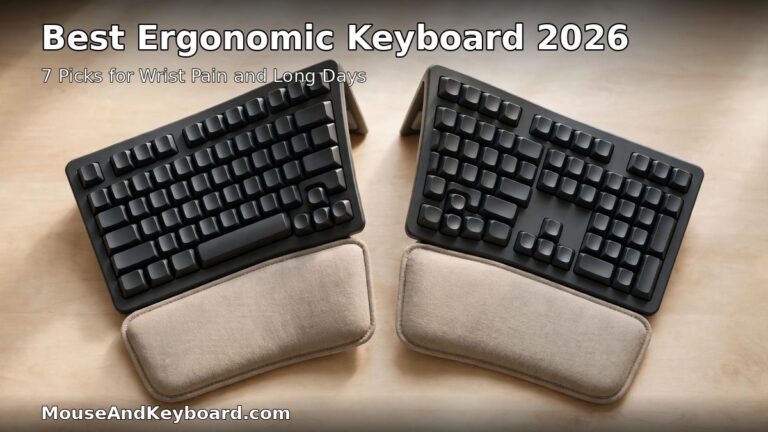
A flat keyboard forces your wrists to bend outward and your forearms to twist palm-down for hours at a time, and the strain adds up. An ergonomic keyboard fixes the geometry — split halves, a curved wave, or a tented angle — so your hands sit closer to neutral while you type. The best ergonomic keyboard in 2026 is not the most expensive one or the strangest-looking one. It is the one that matches how much change you are ready for, from a gentle wave layout you can use on day one to a fully split board you adjust to your exact shoulder width.
We compared the current 2026 line-up across the four ergonomic shapes — fixed split, wave, adjustable split and columnar split — and picked seven keyboards that are actually in stock, come from established brands with real warranties, and cover every budget from about $60 to $369. Every price below is the typical price in November 2026, not a one-day sale. If your wrist already hurts, read our guide to the best ergonomic mouse for carpal tunnel relief too — the keyboard is only half of the setup, and the mouse is the other half.
One honest note before the picks: no keyboard treats carpal tunnel syndrome. A good ergonomic board can reduce the strain that aggravates symptoms and can help prevent new ones, but if you have numbness, tingling or pain that does not improve, see a clinician. What a keyboard can genuinely do is change the angles your hands work at, and the picks below are ranked by how much angle change they deliver for the money.
Best Ergonomic Keyboard 2026 at a Glance
| Keyboard | Best for | Shape | Price |
|---|---|---|---|
| Logitech ERGO K860 | Best overall | Fixed split, curved | ~$130–150 |
| Logitech Wave Keys | Best budget | Wave contour | ~$60 |
| Keychron Q11 | Best mechanical split | Fully split, staggered | ~$205 |
| Kinesis Freestyle2 | Best adjustable split | Adjustable split | From ~$89 |
| Kensington Pro Fit Ergo KB680 | Best budget split | Alice split | Under $100 |
| ZSA Voyager | Best premium portable | Split, columnar | $365 |
| Dygma Defy | Best premium customizable | Split, columnar | From $369 |
Short on time? Get the Logitech ERGO K860 if you want the strongest ergonomics with the gentlest learning curve. Get the Logitech Wave Keys if you want to test whether ergonomic geometry helps you for about $60. Get the Keychron Q11 if you want mechanical switches and a split layout without relearning where the keys are.
What Makes an Ergonomic Keyboard Worth Buying?
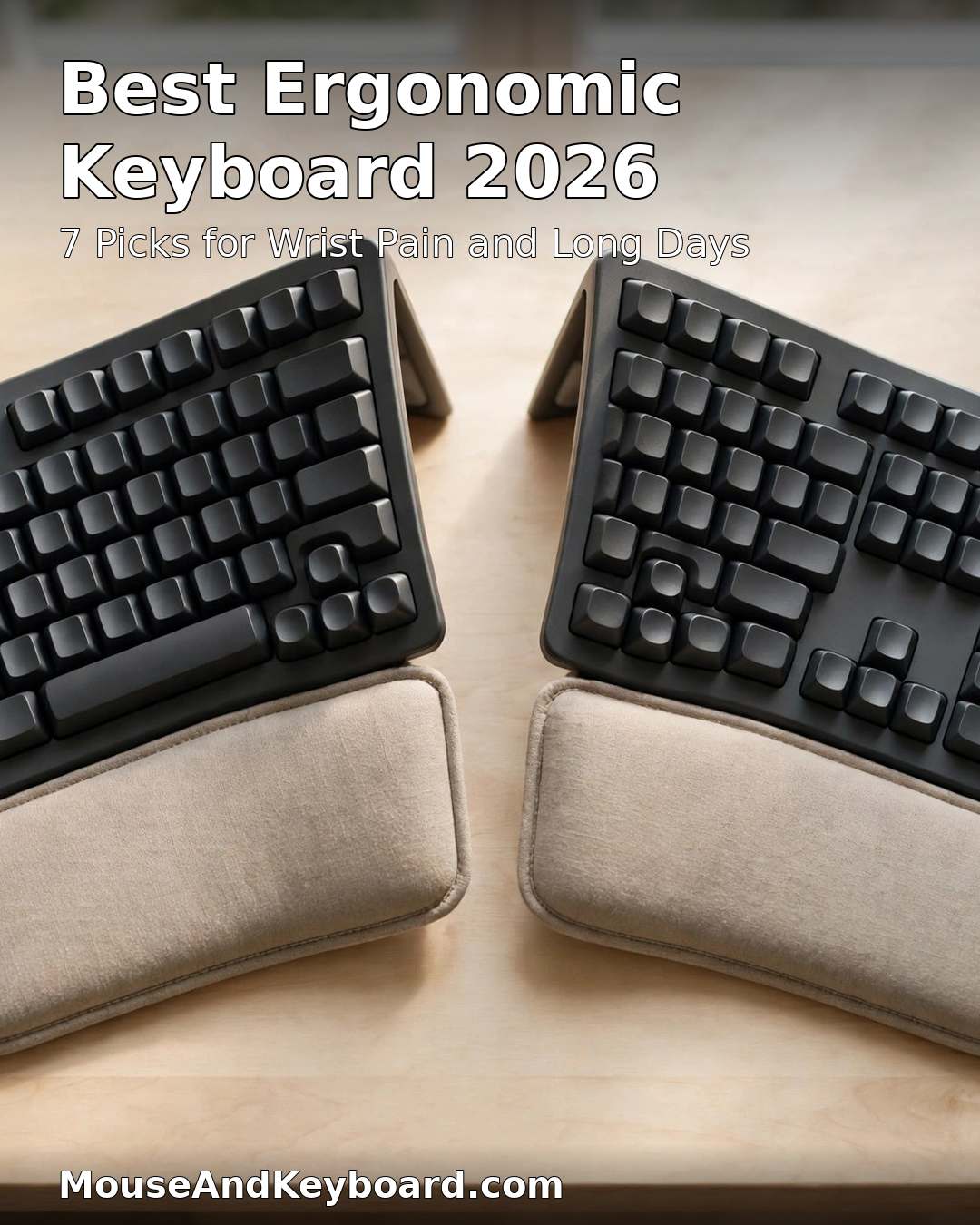
Before the picks, here is the checklist we used. A keyboard earns a place on this list only if it changes the typing geometry in a real, measurable way — and the same tests separate a genuine ergonomic board from a flat keyboard with a wrist rest glued on.
1. A layout that actually changes your wrist angle
The core ergonomic problem is ulnar deviation: on a straight keyboard your wrists bend outward to reach the home row. Split keyboards angle each half outward so the wrists stay straight; wave keyboards curve the key wells to follow the natural arc of your hands; tented boards raise the middle so your palms face each other more. A keyboard that only adds a palm rest without changing the key layout does not count. The SolderMag ergonomic keyboard guide makes the same point: the right board depends on what hurts — shoulders, wrists, forearms or fingers — because each shape fixes a different problem.
2. A switch feel you can type on all day
Ergonomics is also about effort. Low-force membrane and scissor switches need less pressure per keystroke, which matters when you type for eight hours. Mechanical switches give better feedback and last longer, but a heavy switch on a split board defeats the purpose. Every pick below states its switch type, and the mechanical picks use light or hot-swappable switches you can change.
3. Adjustment options that match your body
No two shoulders are the same width, so a fixed split fits most people but not everyone. Adjustable-split boards let you set the separation and the tenting angle yourself, which is why they are the right pick if a fixed split has not worked for you before. Tenting legs, negative tilt and detachable palm rests all count here.
4. A price that reflects the real cost
Ergonomic keyboards run from about $60 to over $600 once you add accessories, and the premium boards hide their real price behind add-ons. The Dygma Defy starts at $369, but wireless adds $90 and tenting adds $80. We list the base price and the cost of the add-ons that matter, so you can compare honestly.
5. Real software and real support
Programmable boards need software that runs on your operating system and does not fight you. QMK and VIA, Logitech Options+ and ZSA’s Oryx all qualify. A board with no remapping at all can still be a good pick if its layout is right — the K860 proves it — but a premium board with bad software is not worth $365.
1. Logitech ERGO K860 — Best Overall Ergonomic Keyboard
Price: ~$130–150 | Switches: Scissor | Connection: Bluetooth, Unifying receiver | Battery: up to 2 years on 2 AAA
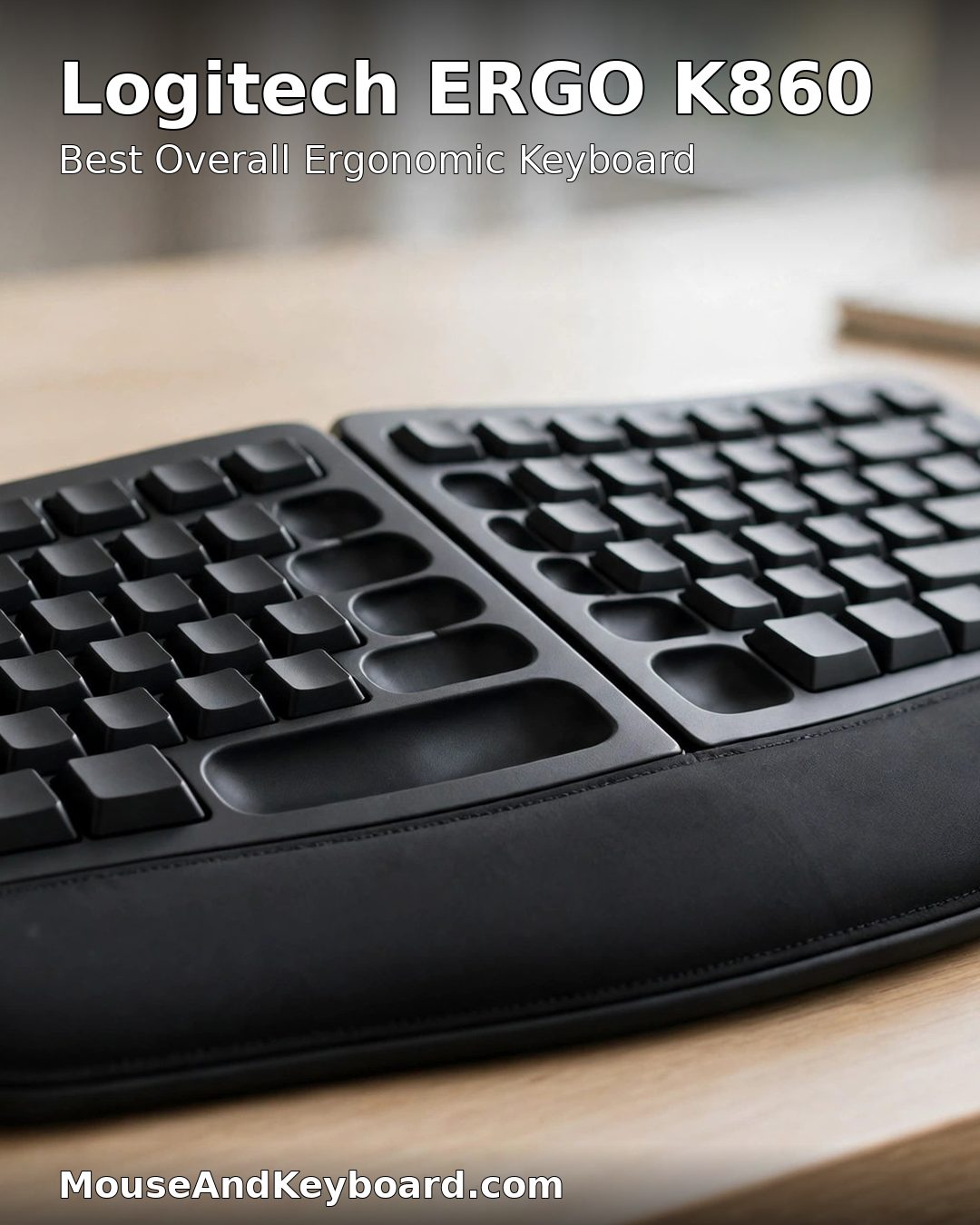
The ERGO K860 is the best ergonomic keyboard for most people because it delivers the biggest ergonomic change with the smallest learning curve. The curved split layout opens your hands to a natural angle, the scooped key wells cut down lateral finger movement, and the built-in palm rest is cushioned and stain-resistant. The negative tilt — the front edge sits higher than the back — keeps your wrists straighter than any flat keyboard, and it is adjustable up to a 20-degree downward slope. Engadget’s reviewer tested 15 ergonomic keyboards and picked the K860 as the best wireless ergonomic keyboard, and it is still the default recommendation in 2026. See the full specs in Engadget’s best ergonomic keyboards for 2026.
It connects over Bluetooth or the included Unifying receiver, pairs with up to three devices, and runs up to two years on two AAA batteries. The honest trade-off is the switches: scissor switches feel soft and quiet, which is ideal for shared offices, but mechanical fans will miss the tactility. There is no backlight, and the board is large — measure your desk before you buy.
Pros: The strongest ergonomics with almost no relearning; curved split with negative tilt; quiet scissor switches; up to 2-year battery; three-device switching.
Cons: No backlight; scissor switches are not mechanical; large footprint; no tenting adjustment.
Buy it if: you want the best ergonomic keyboard for most desks and you do not want to spend two weeks relearning how to type.
Check the price of the Logitech ERGO K860 on Amazon
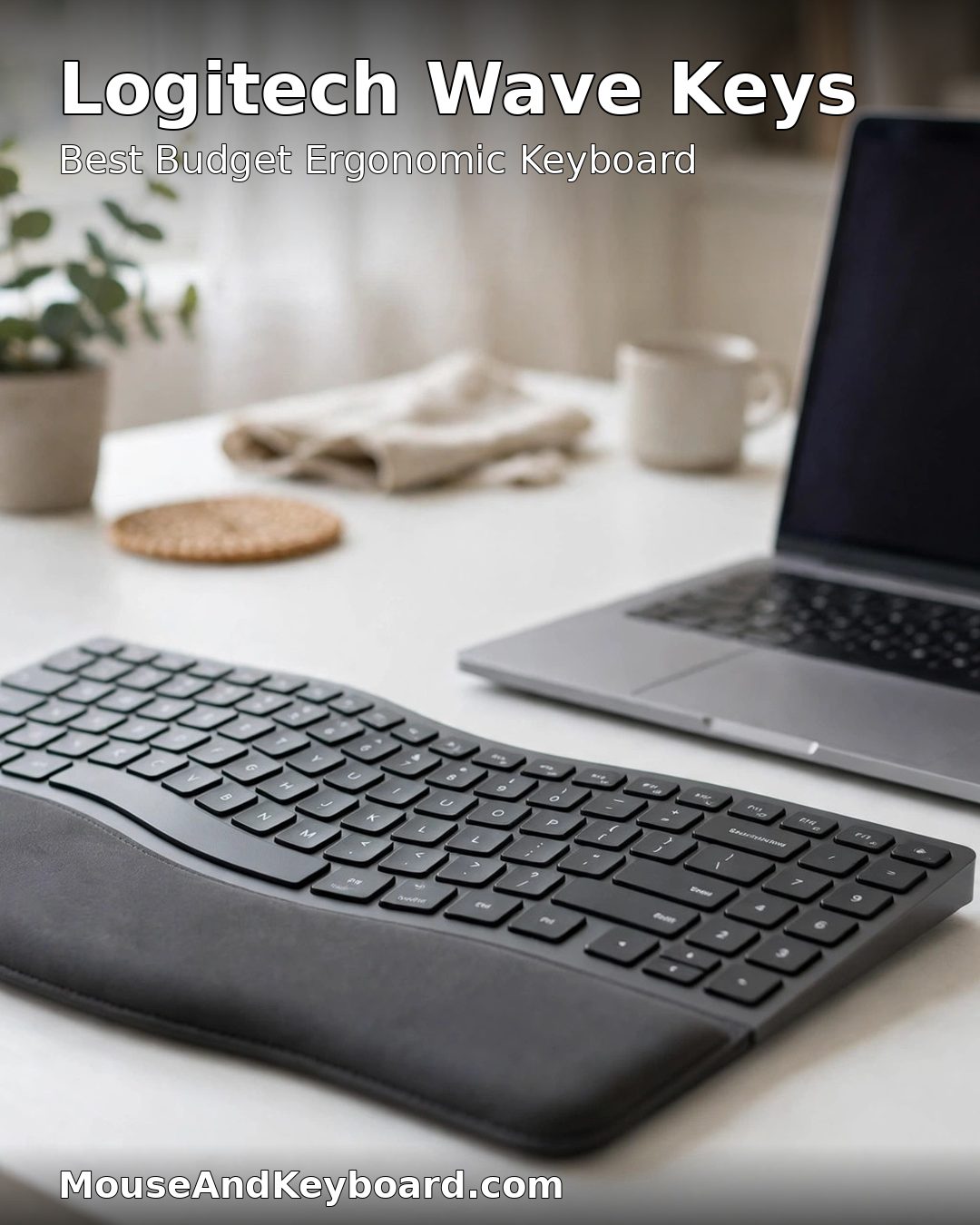
2. Logitech Wave Keys — Best Budget Ergonomic Keyboard
Price: ~$60 | Switches: Membrane | Connection: Bluetooth, Logi Bolt receiver | Battery: up to 3 years on 2 AAA
The Wave Keys is the cheapest genuinely useful step into ergonomic typing. Its continuous wave-shaped keybed curves with the natural arc of your hands instead of splitting the board in two, so there is nothing to relearn — you sit down and type normally, and your wrists simply bend less. The cushioned palm rest is built in, the keys are quiet, and the whole board costs about $60. It is the pick we recommend to anyone who is not sure ergonomic geometry will help them, because the cost of finding out is low.
It pairs with up to three devices over Bluetooth or the included Logi Bolt receiver, and the battery lasts up to three years. The trade-off is that it is not a true split, so it does nothing for shoulder posture — your hands are still close together. If the Wave Keys helps but does not help enough, the K860 is the next step up, not a different brand.
Pros: The lowest-risk first ergonomic keyboard; zero learning curve; quiet keys; up to 3-year battery; about $60.
Cons: Not a true split, so shoulder posture is unchanged; membrane switches; no backlight; no tenting.
Buy it if: you want to test ergonomic typing for the least money, or you need a quiet keyboard for a shared office.
Check the price of the Logitech Wave Keys on Amazon
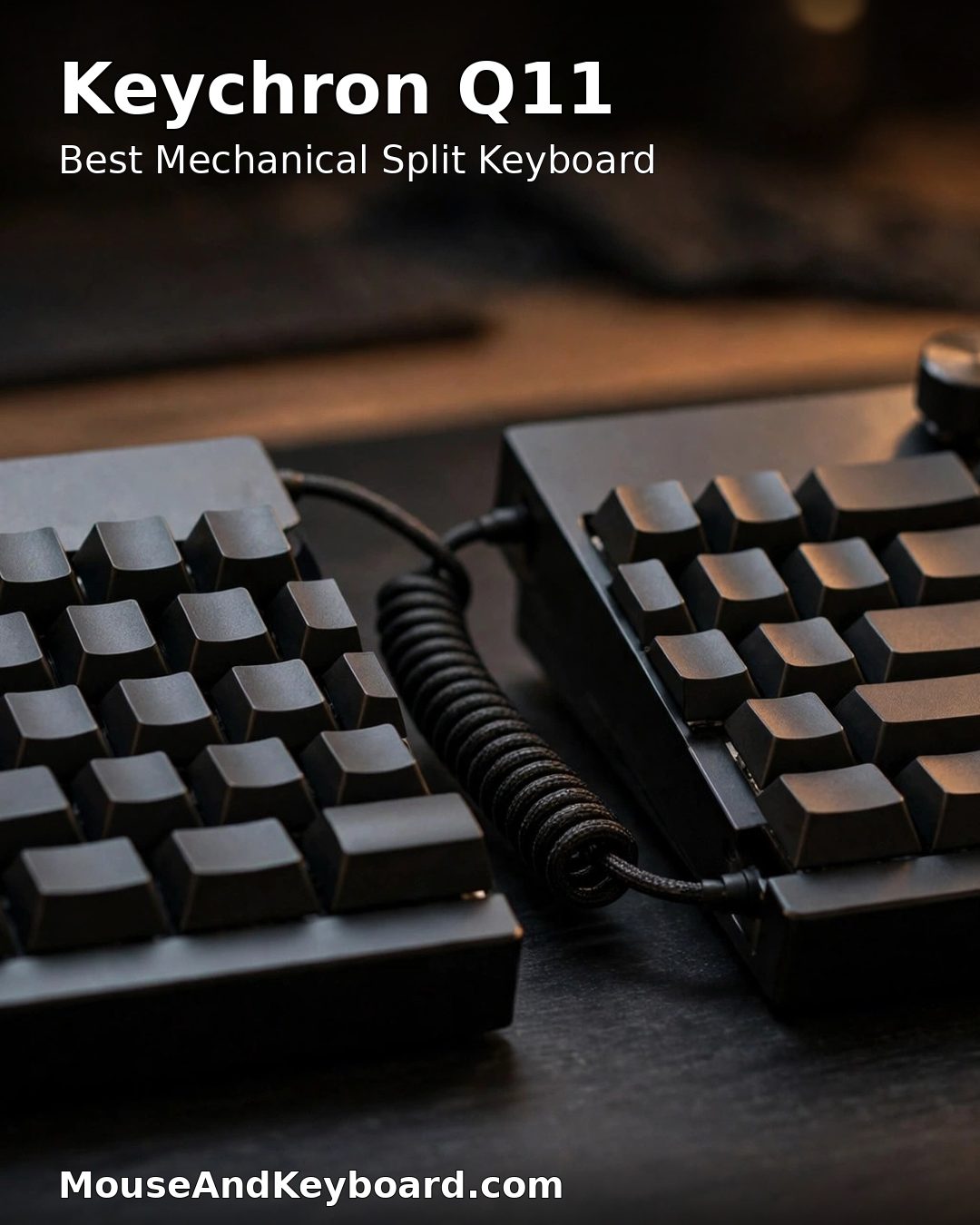
3. Keychron Q11 — Best Mechanical Split Ergonomic Keyboard
Price: ~$205 fully assembled | Switches: Hot-swap mechanical, Gateron G Pro Red | Connection: Wired USB-C | Layout: 75% split, QMK/VIA
The Q11 is the mechanical split keyboard for people who do not want to relearn their layout. It is a 75% board cut in two: the two halves push back together into a standard keyboard or separate to shoulder width, and every key stays where your fingers expect it. The machined aluminum body, PBT keycaps and gasket mount feel premium, the switches are hot-swappable, and two rotary knobs plus five macro keys are fully programmable through QMK and VIA. At $204.99 fully assembled it is the cheapest way into a proper mechanical split board from a major brand.
The trade-off is that the standard Q11 is wired only, and it has no built-in tenting — you get the split, but your palms still face down. If you want wireless, Keychron’s Q11 Ultra 8K adds 2.4 GHz and Bluetooth for $239.99. The board is also heavy at around 4.5 pounds for both halves, so it stays on your desk rather than travelling with you.
Pros: Full mechanical split with a standard layout; hot-swap switches; aluminum body and PBT keycaps; QMK/VIA programming; two knobs and five macro keys.
Cons: Wired only at the base price; no built-in tenting; heavy; no wireless without the Ultra 8K upgrade.
Buy it if: you want mechanical switches and a split layout but you refuse to learn a columnar key arrangement.
Check the price of the Keychron Q11 on Amazon
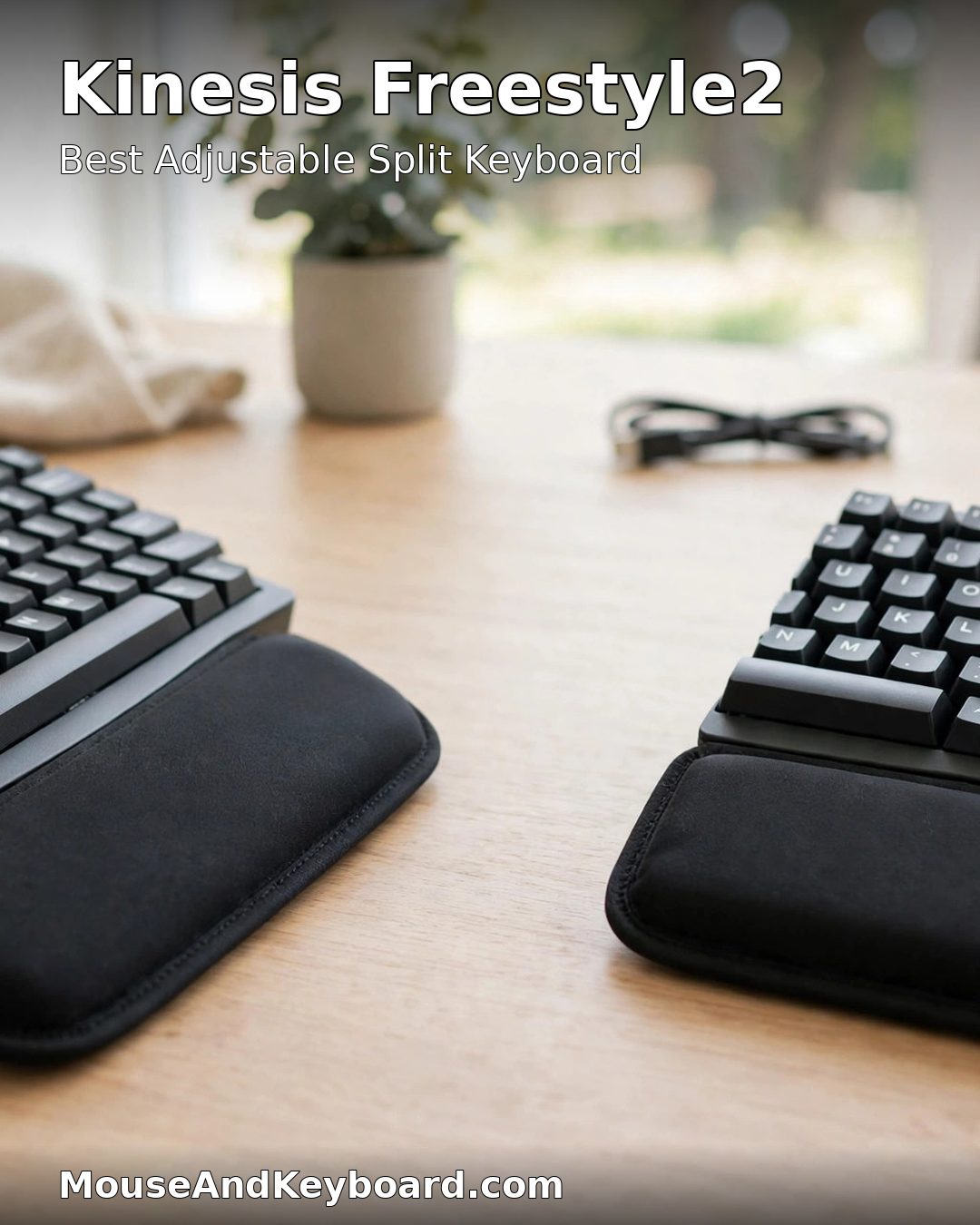
4. Kinesis Freestyle2 — Best Adjustable Split Ergonomic Keyboard
Price: from ~$89 | Switches: Low-force membrane | Connection: USB (Bluetooth on the Blue model) | Separation: up to 9 inches
The Freestyle2 is the workhorse adjustable split keyboard, and it has been for years. Two independent key modules join by a cable, and you set the separation yourself — up to 9 inches apart, or wider with the longer cable — so each half lines up with its own forearm instead of forcing both hands to meet at one narrow row of keys. That adjustability is the reason it is the standard recommendation for people whose shoulders are wider or narrower than a fixed split assumes. The low-force membrane keys need little pressure, which helps during long typing sessions.
Do not skip the VIP3 accessory kit, which costs about $39 extra: it adds cushioned palm supports and three tenting heights (5, 10 and 15 degrees), and without it the board has no tenting at all. The Bluetooth Blue model costs around $119 and adds a Mac layout with dedicated media keys. The trade-off is feel — the membrane keys are plain compared with the Q11’s mechanical switches, and there is no backlight.
Pros: True adjustable separation up to 9 inches; low-force keys; VIP3 kit adds tenting and palm supports; Bluetooth Mac model available; proven design with years of production.
Cons: No tenting without the $39 VIP3 kit; plain membrane feel; no backlight; no mechanical option.
Buy it if: a fixed split has not fitted you before, or your shoulders need the halves further apart than a one-piece board allows.
Check the price of the Kinesis Freestyle2 on Amazon
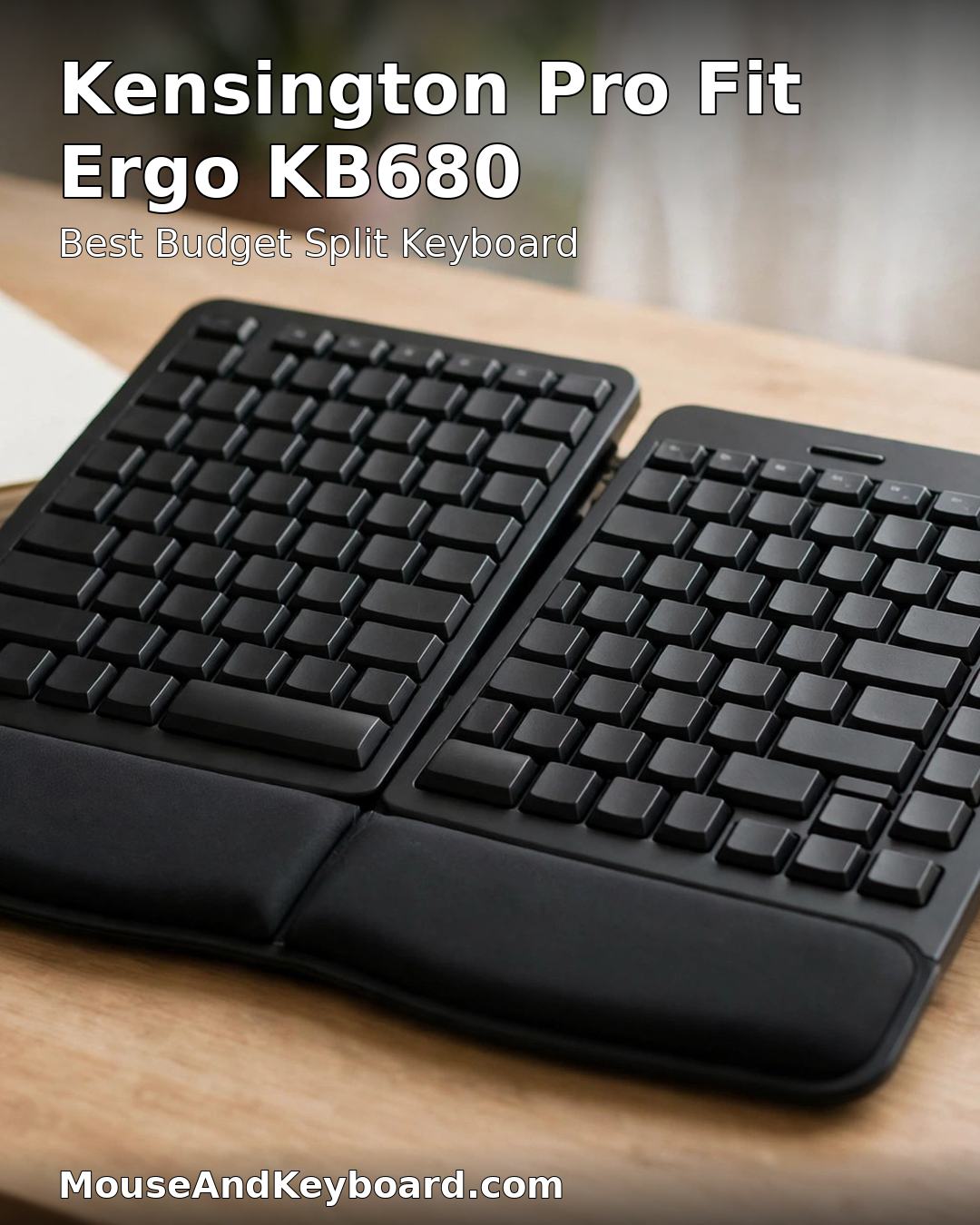
5. Kensington Pro Fit Ergo KB680 — Best Budget Split Ergonomic Keyboard
Price: under $100 | Switches: Quiet membrane | Connection: Wired USB | Layout: Alice split with wrist rest
The KB680 is the cheapest true split keyboard worth buying. Its Alice-style split angles the two halves apart, the built-in wrist rest is padded, and the keys are quiet enough for a shared office — all for under $100. Engadget calls it the best budget ergonomic keyboard, and it is the pick for anyone who wants a real split layout without paying the K860’s price or the Q11’s.
It is a wired board with no software and no wireless option, so it suits a fixed desk rather than a laptop that moves around. The membrane keys are quiet but not mechanical, and the split angle is fixed — if you need adjustable separation, the Freestyle2 is the upgrade. But as a first split keyboard, the KB680 is the lowest price at which the split is real rather than cosmetic.
Pros: A genuine split layout under $100; quiet keys; built-in wrist rest; simple plug-and-play wired connection.
Cons: Wired only; fixed split angle; no software or remapping; membrane switches.
Buy it if: you want to try a true split keyboard and your budget stops under $100.
Check the price of the Kensington Pro Fit Ergo KB680 on Amazon
6. ZSA Voyager — Best Premium Portable Ergonomic Keyboard
Price: $365 | Switches: Low-profile Kailh Choc, hot-swap | Connection: Wired USB-C | Layout: 52-key split columnar, QMK/Oryx
The Voyager is the split keyboard for people who have already committed to the ergonomic layout and now want it in a bag. Fifty-two low-profile keys in a columnar arrangement — keys in straight vertical columns instead of staggered rows — with a thumb cluster carrying Return, Space and more, magnetic feet for tenting included in the box, and full QMK programming through ZSA’s Oryx configurator. At $365 with shipping included, it is the most portable serious split board you can buy, and the low-profile switches keep it slim enough to travel.
The honest cost is the learning curve: a columnar layout with 52 keys and layers takes two to four weeks before your speed returns, and there is no number row — numbers live on a layer. It is also wired only, with no wireless option. Buy the Voyager if you already type on a split board and want the portable version, not as your first ergonomic keyboard.
Pros: Genuinely portable split design; low-profile hot-swap switches; tenting legs included; excellent Oryx configurator; 2-year warranty.
Cons: Two to four weeks to relearn the layout; 52 keys means layers for numbers; wired only; $365 is a lot for a first split board.
Buy it if: you already use a split keyboard and want the same ergonomics in a travel bag.
Check the price of the ZSA Voyager on Amazon
7. Dygma Defy — Best Premium Customizable Ergonomic Keyboard
Price: from $369 wired | Switches: Hot-swap mechanical | Connection: Wired (wireless +$90) | Layout: Split columnar, 16 thumb keys, Bazecor
The Defy is the most customizable ergonomic keyboard on this list. It is a fully split columnar board with full-size keycaps, detachable wrist rests, and sixteen thumb-cluster keys — eight per hand — that carry the keys your thumbs should be doing instead of your pinkies. The Bazecor configurator is one of the easiest to use in this category, with per-key programming and layers that change by application. The base wired board starts at $369; wireless adds $90, built-in tenting adds $80, and a fully loaded unit runs past $600.
That add-on pricing is the main warning: decide what you need before you buy, because the extras add up fast. The Defy is also a full-commitment board — columnar layout, layers, and a two to four week adjustment period, the same as the Voyager. It is the pick for heavy typists and programmers who will actually use the thumb clusters and the per-app layers, not for someone buying their first split keyboard.
Pros: Sixteen thumb keys; full-size keycaps; detachable wrist rests; the easiest configurator in the category; wireless and tenting available.
Cons: Add-ons push the price past $600; two to four weeks to relearn; large footprint with the wrist rests attached.
Buy it if: you are a heavy typist or programmer who will use thumb keys, layers and per-app macros every day.
Check the price of the Dygma Defy on Amazon
How to Choose the Best Ergonomic Keyboard
Match the shape to the problem
Wrist angle problems point to a split board — the K860, KB680, Q11 or Freestyle2. Shoulder hunching points to an adjustable split you can set to shoulder width — the Freestyle2 or the Defy. General hand fatigue with no specific pain points to a wave board — the Wave Keys. Finger strain from heavy switches points to a mechanical board with light, hot-swappable switches — the Q11 or the Defy. Buying the wrong shape is the most common mistake in this category, and it is why ergonomic keyboards get returned. The ErgoLivingSpace carpal tunnel keyboard guide compares boards by mechanism rather than marketing labels, which is the right way to think about it: split fixes sideways wrist bend, tenting fixes forearm rotation, negative tilt fixes upward wrist bend.
Be honest about how much relearning you will do
Wave and fixed-split boards take days to adjust to. Fully split boards with a standard layout take one to three weeks. Columnar boards with thumb clusters take two to four weeks or more, and your typing speed will drop before it recovers. If you cannot afford a slow month, buy the K860 or the Wave Keys. If you type for a living and your wrists already hurt, the relearning time is worth it — but budget for it.
Pair the keyboard with the right mouse
A split keyboard with a flat mouse is half a fix. A vertical mouse or a trackball completes the ergonomic setup, because the mouse is where most of the forearm twisting happens. Our best ergonomic mouse under $100 roundup covers the budget mouse picks, and the ergonomic keyboard and mouse combo guide covers matched pairs if you want to buy both at once.
What to skip
Skip the Microsoft Sculpt: it was the classic budget ergonomic keyboard for years, but Microsoft discontinued it, and remaining stock is old and overpriced. Its proper successor is the Kinesis mWave, a unibody tented Alice-split board with mechanical switches at around $120–135. Skip any ergonomic keyboard under $30 from an unknown brand — the failure mode is wobbly keys, a split angle that is cosmetic rather than functional, and no warranty. And skip a columnar board as your first ergonomic keyboard; learn the split first, then decide whether you want to go further.
Frequently Asked Questions
What is the best ergonomic keyboard in 2026?
The Logitech ERGO K860 is the best ergonomic keyboard for most people in 2026. It costs around $130–150, its curved split layout with negative tilt keeps your wrists straighter than any flat keyboard, and it needs almost no adjustment time. If your budget is tight, the Logitech Wave Keys at about $60 is the best first step; if you want mechanical switches, the Keychron Q11 at $204.99 is the best mechanical split.
Are ergonomic keyboards actually worth it?
Yes, if you type for several hours a day. A split or wave layout reduces the sideways wrist bend and forearm twisting that build up over long sessions, and most people feel the difference within a week. They are not a medical treatment: if you already have carpal tunnel symptoms, a keyboard can reduce aggravating strain but it cannot treat the condition, and you should see a clinician.
Split vs wave keyboard — which is better?
A split keyboard is better if your problem is wrist angle or shoulder width, because it physically separates your hands and straightens your wrists. A wave keyboard is better if you want a gentler change with no relearning, because it curves the keys to your hands without splitting the board. If the wave board helps but not enough, move up to a split board — the K860 is the usual next step.
How long does it take to get used to an ergonomic keyboard?
A wave or fixed-split keyboard takes a few days. A fully split board with a standard layout takes one to three weeks. A columnar board with thumb clusters, like the ZSA Voyager or Dygma Defy, takes two to four weeks before your typing speed returns to normal. Your speed will drop first — that is normal, and it is the reason most ergonomic keyboards are returned too early.
Do ergonomic keyboards help with carpal tunnel?
An ergonomic keyboard can reduce the strain that aggravates carpal tunnel symptoms by keeping your wrists straighter and reducing repetitive sideways movement, but it is not a treatment for carpal tunnel syndrome. If you have numbness, tingling or weakness in your hand or wrist, see a doctor. Pair the keyboard with an ergonomic mouse — our carpal tunnel mouse guide covers the relief-focused picks.
Can I game on an ergonomic keyboard?
Yes, but pick the right board. The Keychron Q11 and the Kinesis Freestyle Edge RGB work well for gaming because they are mechanical, hot-swappable and programmable, with standard layouts that keep WASD where you expect it. Columnar boards like the Voyager and Defy can game too once you have learned the layout, but the relearning period will cost you matches. Wave and membrane boards like the Wave Keys are fine for casual play but not for competitive gaming.
Our pick remains the Logitech ERGO K860: the best ergonomic keyboard for most desks in 2026, with the Wave Keys as the budget way in and the Keychron Q11 as the mechanical upgrade. Match the shape to the problem, be honest about how much relearning you will do, and give the new board two weeks before you judge it.
Last updated: November 2026